Everything on One Screen.
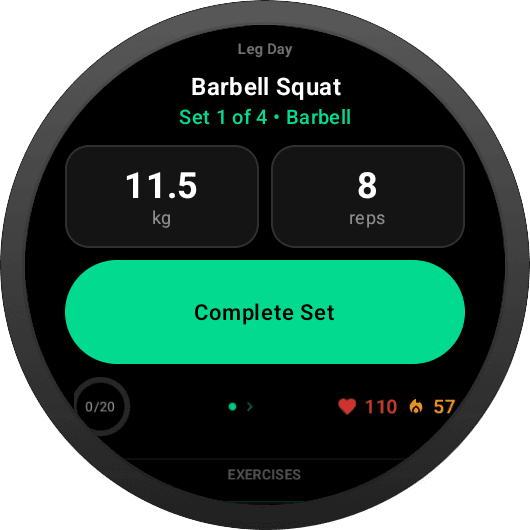
Exercise name and muscle group at the top. Weight and reps tiles side-by-side. A full-width green Complete Set button front and center. Live heart rate and calories in the bottom corner. Progress dots show where you are in the set list — all without scrolling. If the pre-filled values match your actual lift, hit Complete Set and move on. Zero extra taps.
Tap to Adjust. No Crown Needed.
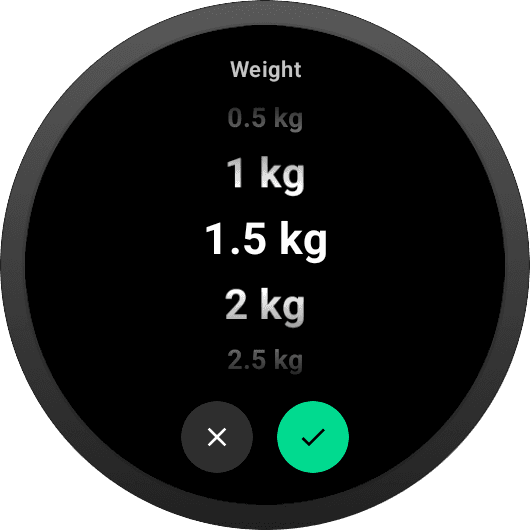
Need a different weight than the template pre-filled? Tap the weight tile and a full-screen picker opens. Scroll with your finger (or with the rotary crown/bezel if your watch has one), then hit the green checkmark to confirm. Weight moves in 0.5 kg increments by default, configurable to match your plate set. Cancel with the grey X — no accidental changes.
Tap to Change Reps. Same Gesture.
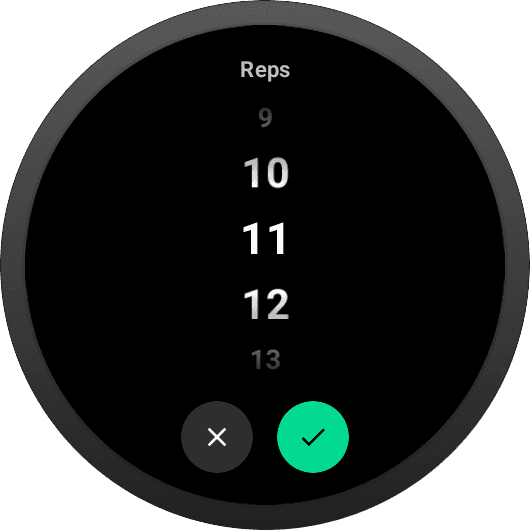
Same pattern for reps: tap the reps tile, pick a number from 1 to 100+, confirm. Uses the same full-screen picker so the gesture is identical every time — tap, scroll, confirm. Works on every Wear OS watch: Pixel Watch, Galaxy Watch 7, Galaxy Watch Classic, OnePlus Watch, Fossil Gen 6, and more.
Live HR and kcal. Automatic Per-Set Logging.
Real-time BPM and active calories stream from the watch sensor via the Health Services API — the same source Google Fit and Samsung Health read from. You see them tick up in the bottom-right corner during every set. When you tap Complete Set, average, max, and min heart rate for that exact window are logged automatically. Total calories roll up into your workout summary.
Navigate by Feel.
Every gesture is discoverable. No hidden menus, no long-press to remember. Just tap, swipe, or rotate — all roads lead to the same screens.
Tap
Tap a weight or reps tile to open the picker. Tap Complete Set to finish the current set. Tap the EXERCISES label at the bottom to see the full exercise list.
Swipe Left / Right
Move between sets within the same exercise. Revisit a completed set to check what you logged.
Swipe Up / Down
Move between exercises and variants. Lands on the first incomplete set of that exercise.
Has a rotating crown or bezel? It scrolls the picker list when open — a nice-to-have, never required. The app works identically on a crown-less watch.
The Whole Workout. One Scroll.
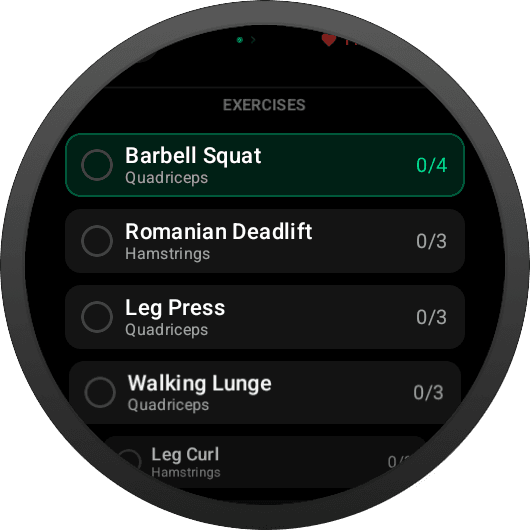
Tap EXERCISES at the bottom of the active-set screen to open the full list. Every exercise shows a completion counter — 0/4 for four sets planned, zero logged; 3/4 when you're almost there. The current exercise has a lime-green outline so you always know where you are. Tap any row to jump there.
Leave Your Phone in the Locker
Download GainLogger for free and log every workout from your Wear OS watch.