Analyze Your Sessions.
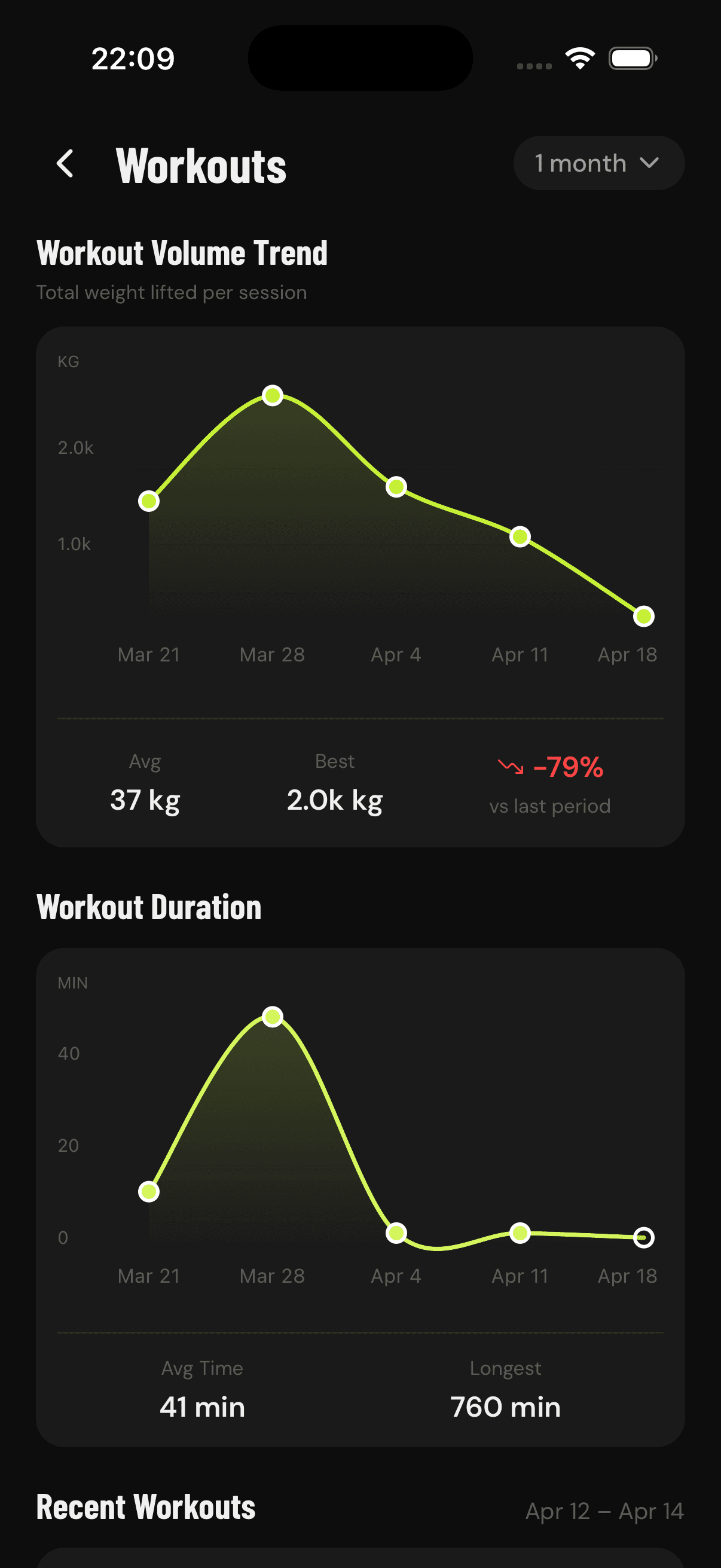
The Workouts screen tracks your session-level performance. A volume trend chart shows total weight lifted per session with your average, best session, and percentage change. A duration chart tracks how long your workouts last. Below, a scrollable list of recent workouts lets you tap into any past session for full details. Filter by time range to focus on the period that matters most.
Key Highlights
Workout volume trend with average and best session
Session duration tracking over time
Recent workouts list with quick access to details
Period-over-period percentage change
Flexible time ranges from 7 days to 1 year
Frequently Asked Questions
What workout analytics does GainLogger track?
Per-session volume trend, session duration, your average and best session, and period-over-period percentage change, plus a scrollable list of recent workouts.
Can I open a past workout for details?
Yes. Tap any session in the recent workouts list to see the full set-by-set breakdown of that workout.
Can I filter analytics by time range?
Yes. Every chart can be filtered from 7 days up to 1 year so you can focus on exactly the period that matters.
Start tracking your workouts today
Available for free on iOS and Android.