Train Every Muscle.
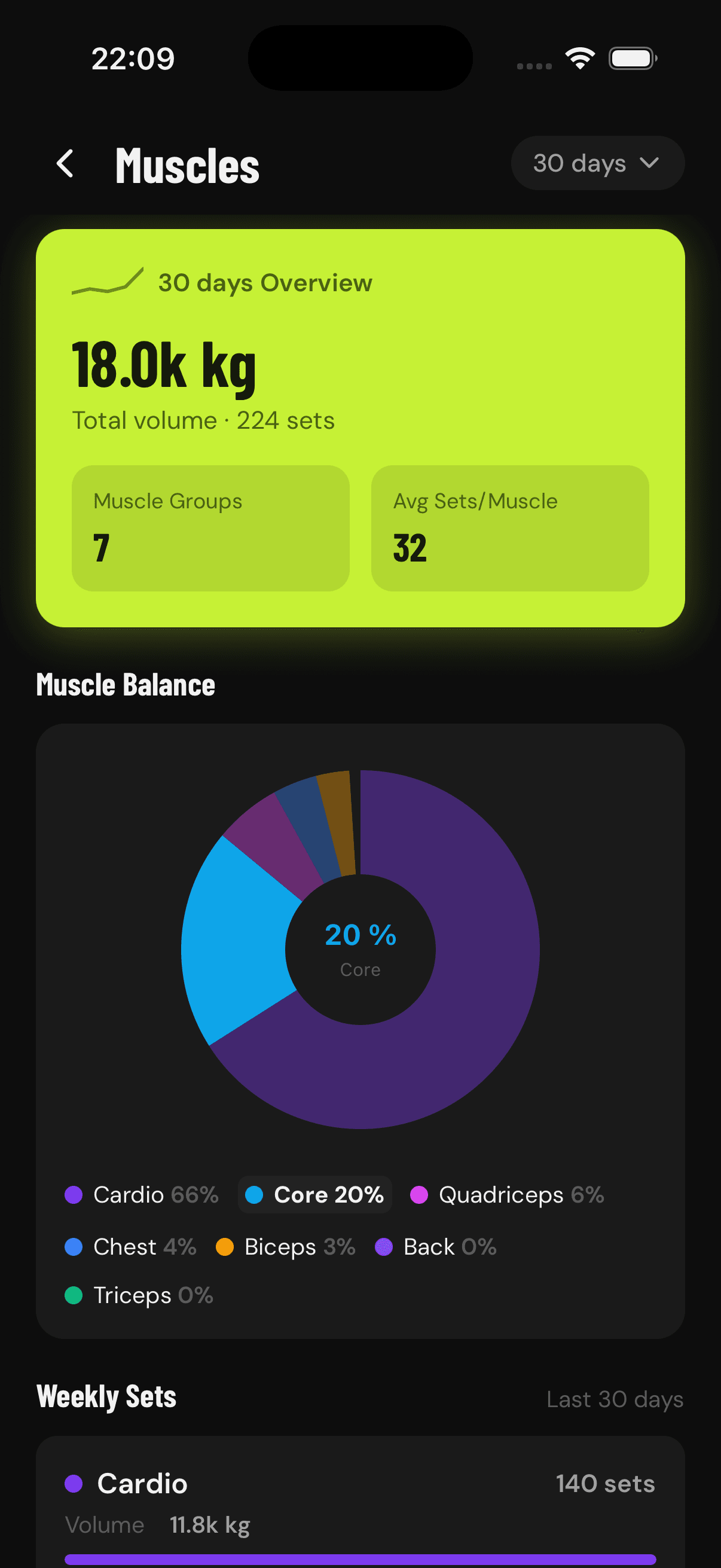
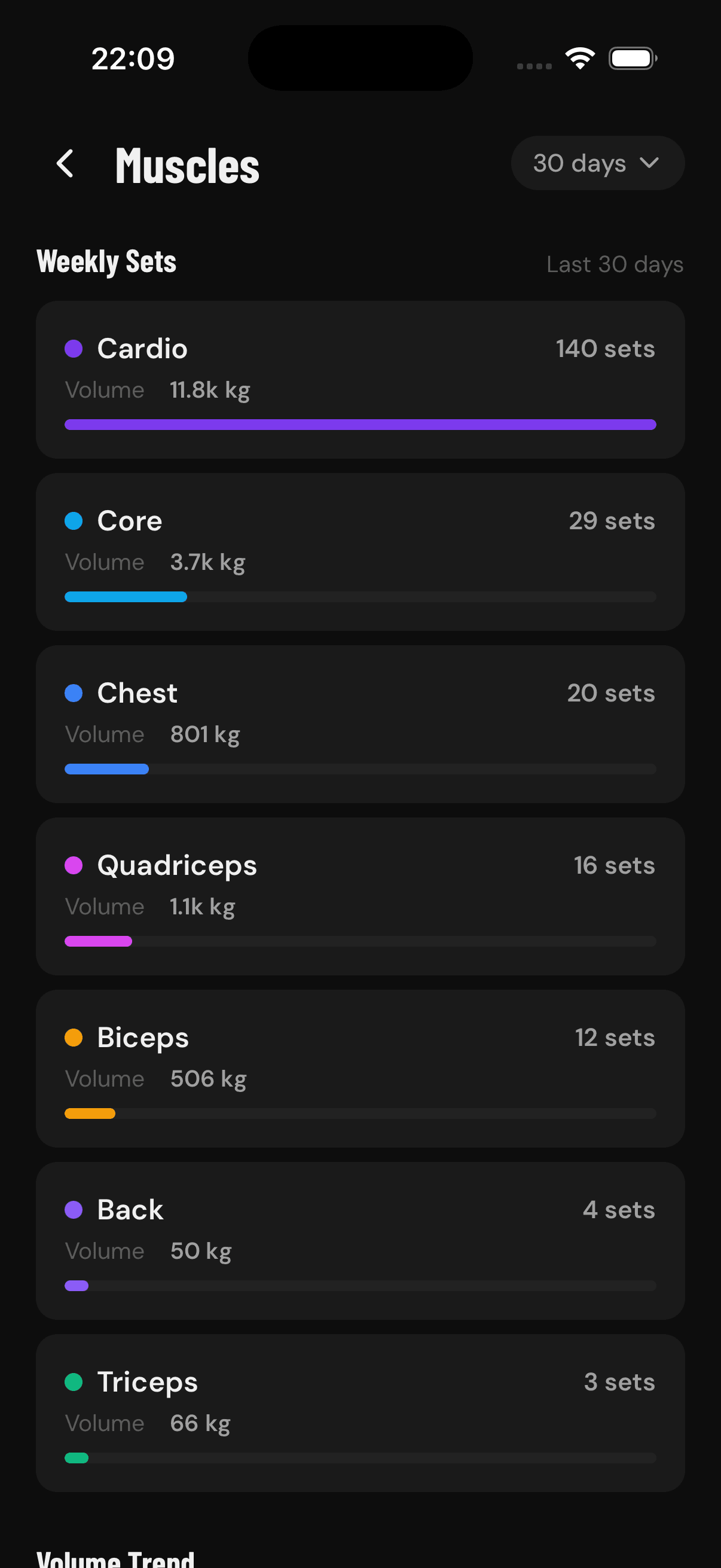
The Muscles screen gives you a complete picture of how balanced your training is. A pie chart shows the percentage of volume going to each muscle group. The weekly sets breakdown lists every muscle with its set count and volume. A stacked volume trend chart shows how your training distribution changes week over week. Training balance insights highlight your most and least trained muscles with actionable recommendations.
Key Highlights
Muscle balance pie chart showing volume distribution
Weekly sets breakdown per muscle group with volume
Stacked volume trend chart over time
Training balance insights with recommendations
Flexible time ranges from 7 days to 1 year
Frequently Asked Questions
How do I know if my training is balanced?
The Muscles screen shows a pie chart of training volume per muscle group, a weekly set breakdown, and insights highlighting your most and least trained muscles.
Can GainLogger show which muscles I neglect?
Yes. Training balance insights call out under-trained muscle groups with actionable recommendations so you can fix imbalances before they become injuries.
Does muscle volume update over time?
A stacked volume trend chart shows how your training distribution shifts week over week across any range from 7 days to 1 year.
Start tracking your workouts today
Available for free on iOS and Android.