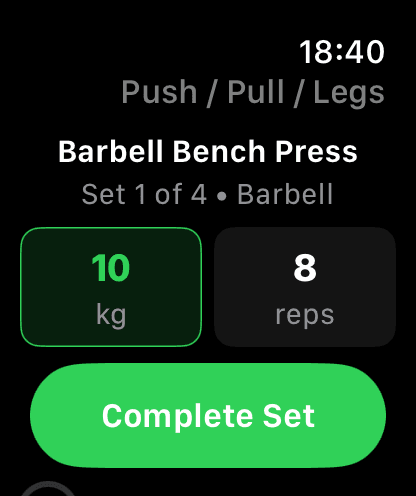
Zero Taps to Log.
Your current set is always front and center. Weight and reps are pre-filled from your template targets. If they match, just hit Complete Set — zero adjustments needed.
Twist to Adjust.
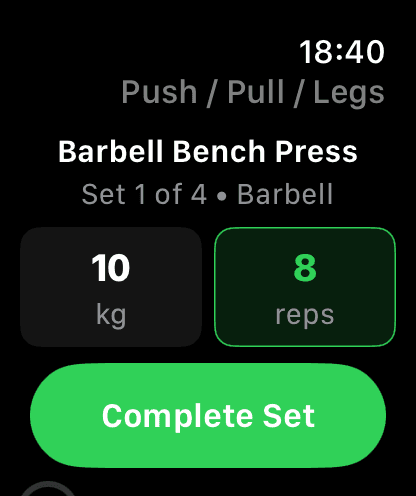
Tap the weight or reps box to select it, then twist the Digital Crown to adjust. A green outline shows which value you're changing. Weight moves in 2.5 kg increments, reps in 1.
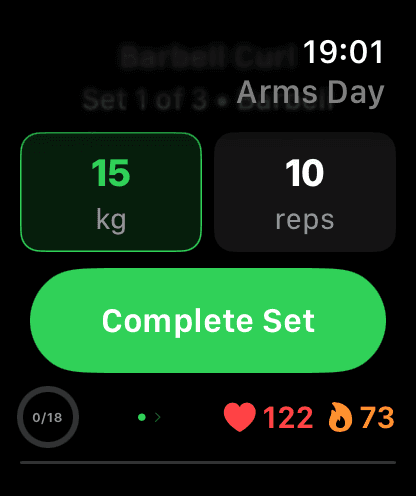
Live Heart Rate & Calories.
Real-time BPM streamed from Apple Watch sensors and shown alongside your progress. When you finish a set, average, max, and min heart rate are logged automatically with your set data. Active calories burned are tracked in real time via HealthKit and saved to your workout summary.
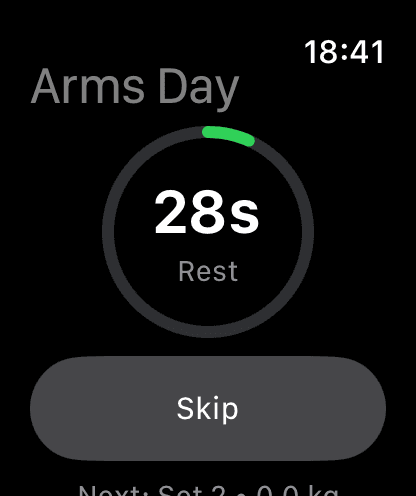
Rest. Then Go Again.
After completing a set, a rest timer appears automatically with a circular countdown ring. Skip it or wait — when time's up, the view auto-advances to your next set with a haptic tap.
Navigate by Feel.
Intuitive swipe gestures let you move between sets and exercises without any menus. Combine with Digital Crown for full control.
Swipe Left / Right
Move between sets within the same exercise. Revisit completed sets to check logged values.
Swipe Up / Down
Move between exercises and variants. Lands on the first incomplete set of that exercise.
Digital Crown
Twist to adjust weight or reps on the current set. Tap a metric box to switch focus.
Full Overview. Safe Finish.
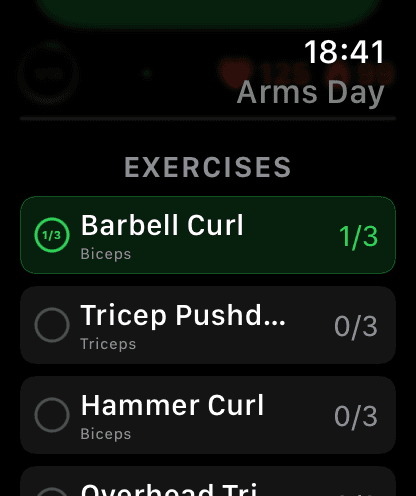
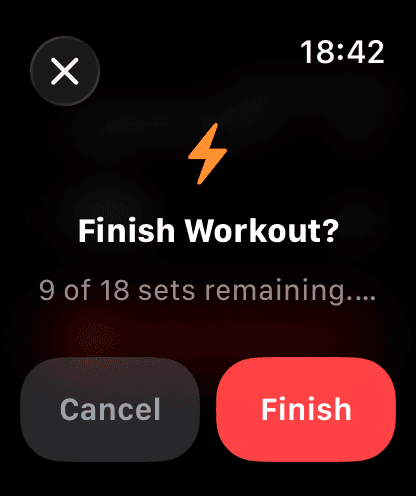
Scroll down from the set view to see all exercises with completion status. When you're done, the finish confirmation prevents accidental endings and shows remaining sets.
Leave Your Phone in the Locker
Download GainLogger for free and log every workout from your Apple Watch.